Cat Dance AI Video Generator

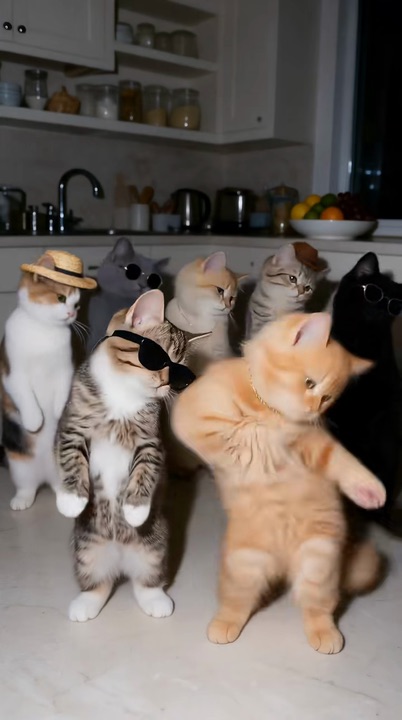
Upload one photo of your cat and our Cat Dance AI turns it into the clip all over TikTok: waving from a taxi window, fronting a kitten squad or grooving solo to the beat.

Taxi window waveFrom @cocoacat3

2Your cat

1Pick a template

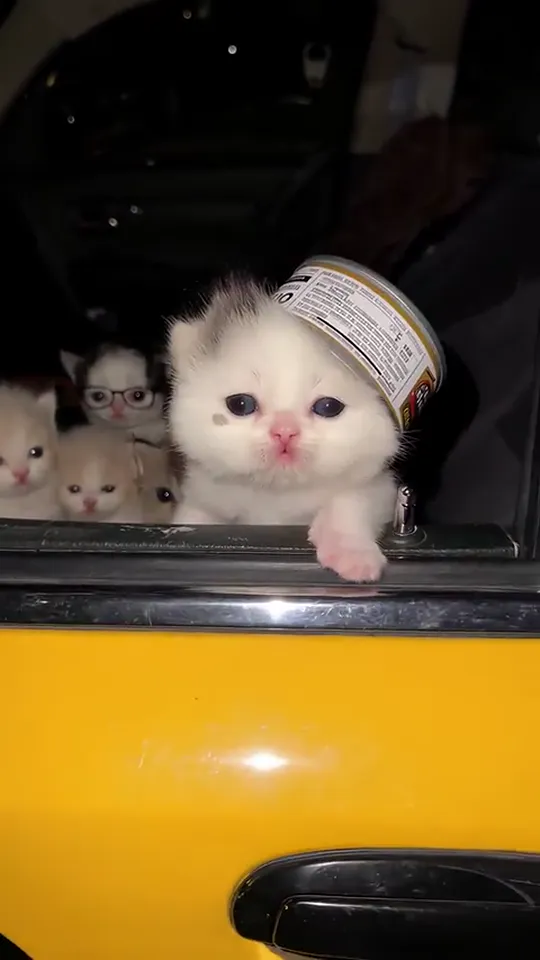
Your cat rides in a yellow cab at night, pops out of the back window wearing a tin-can hat and waves its paws in time with the music

2Your cat

About the trend

What is the Cat Dance AI trend?

Cat Dance AI is the TikTok trend where an AI-animated cat dances like a person. The version everyone is remaking opens on a yellow taxi at night. The camera drifts toward the open back window, a cat in a tin-can hat leans out and paws along to the music, and a row of kittens in sunglasses watches from the back seat. A white kitten’s taxi clip posted on October 20, 2026 crossed a million plays in five days and kicked off the wave of remakes. With this generator, the cat in the window is yours.

The AI keeps your cat’s face, fur color and markings, and builds everything else around it: the cab, the hat and the passengers come from the template. Kittens and adult cats both work, and so do dogs and other pets. Prefer a different setting? Switch to the lifted paws dance, the kitten squad or the solo groove before you upload.

Shot by shot
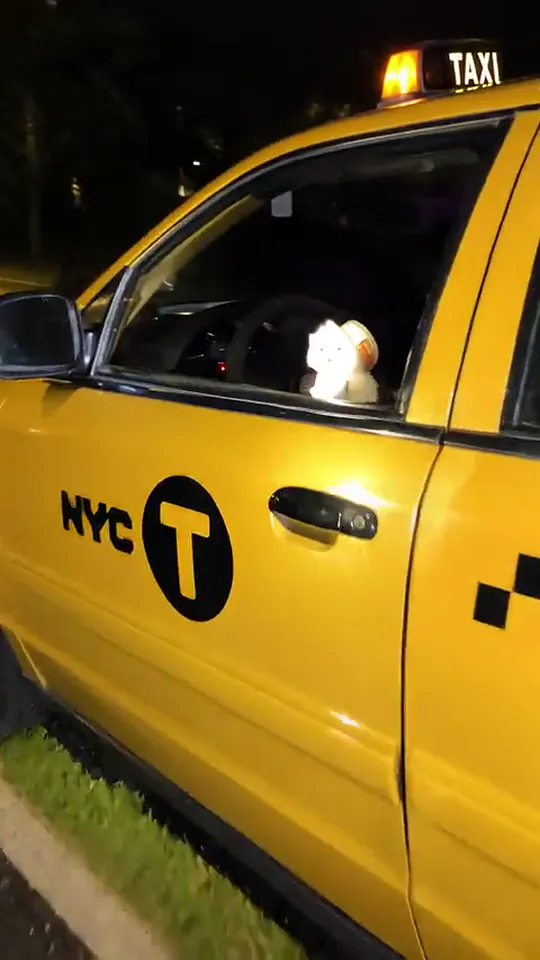
  1. Night street1

    Night street

    A yellow cab idles under streetlights with its rear window rolled down. The camera slowly closes in.
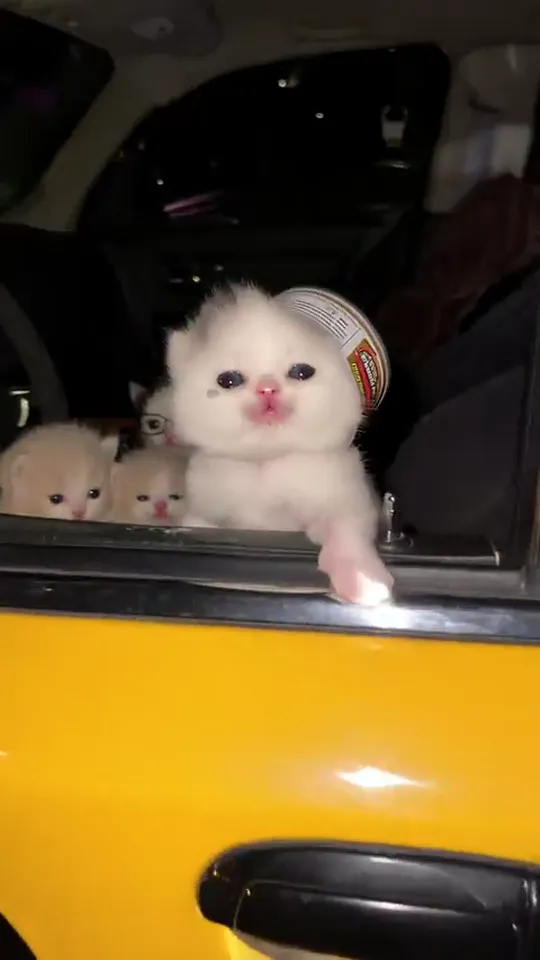
  2. The reveal2

    The reveal

    Your cat appears in the window, one paw resting on the door, a tin can balanced on its head.
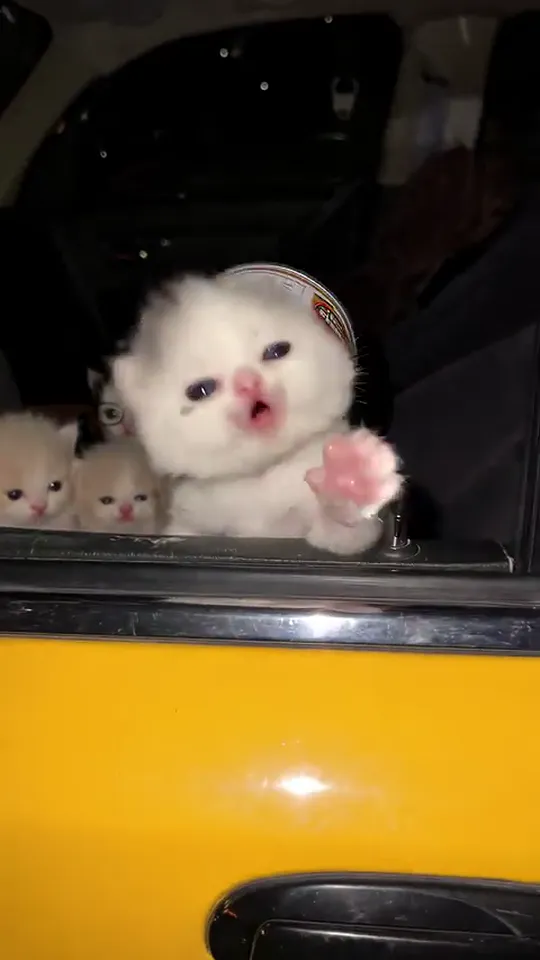
  3. The dance3

    The dance

    Head bobbing, it swings a paw in time and opens its mouth as if it knows the words.
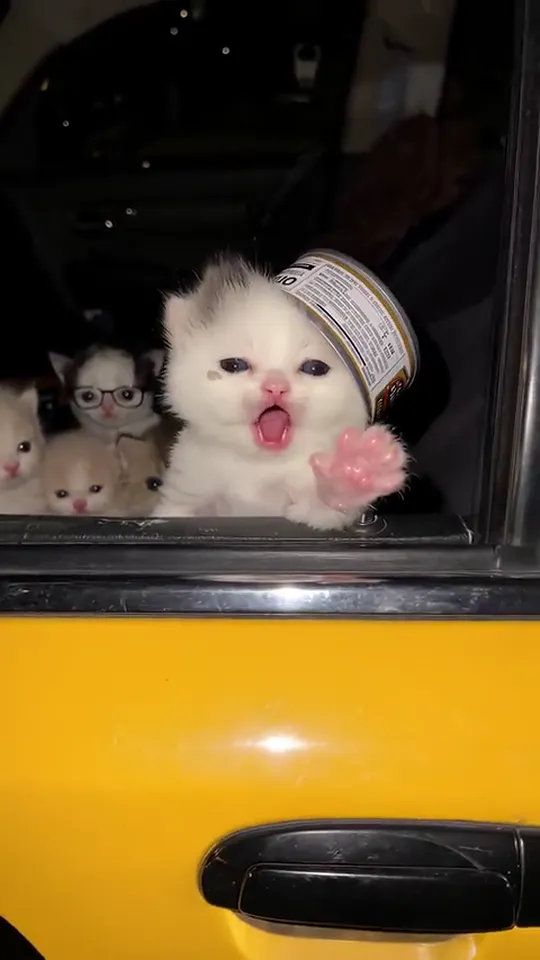
  4. The send-off4

    The send-off

    It lifts a paw and waves goodbye, while the sunglasses-wearing kittens behind it keep watching.
Seen on TikTok

Popular Cat Dance AI clips on TikTok

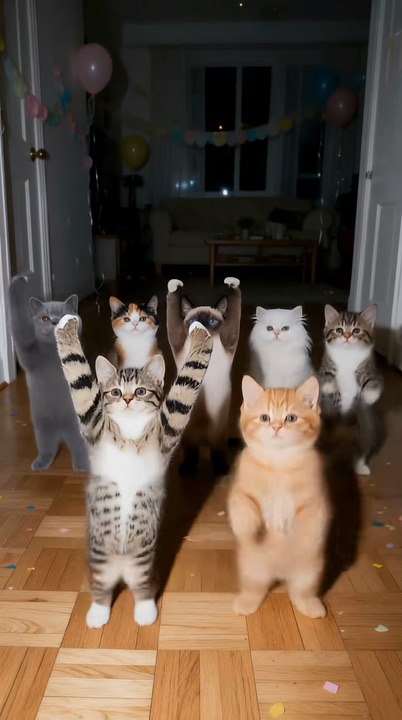
The kitten squad and the lifted paws dance are the other two versions racking up views. Recognize the one from your feed?

@vizzion.ai🔥 1M
@rydrayn🔥 684K
@vizzion.ai🔥 368K

Tutorial

How to make a Cat Dance AI video

No dancing cat required. The setting and every move come from the template, so any clear photo will do.

  1. 01

    Step 1: Choose a version

    Taxi window wave, lifted paws dance, kitten squad or solo groove.

  2. 02

    Step 2: Upload your cat’s photo

    One cat in the frame with its face and ears visible. Any pose is fine.

  3. 03

    Step 3: Confirm permission

    Tick the box to confirm the pet is yours or you may use the photo. Your upload is kept if you sign in or top up credits in between.

  4. 04

    Step 4: Generate

    Hit the button and the video renders in the background. You can close the tab; it will be waiting in My videos.

  5. 05

    Step 5: Download

    Save it as an MP4 with one tap.

  6. 06

    Step 6: Share

    Upload to TikTok with the AI-generated content label switched on, and tag the friends who know your cat.

Make my cat dance
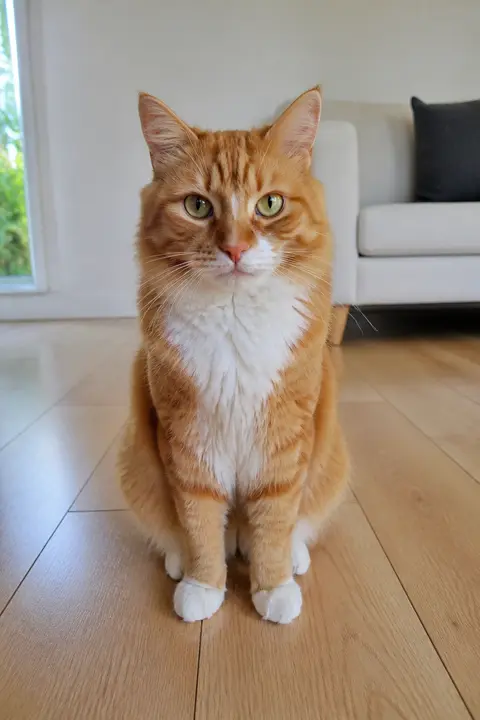
Sample photo: an orange tabby cat with a white chest and white paws sitting on a wooden floor in a bright living room, the whole cat in frame, face clearly visibleYour cat
Result: Taxi window waveResult
Your cat’s photo on the left, the finished taxi scene on the right.

Photo tips

Best photos for Cat Dance AI

The AI only knows your cat from the photo you upload, so give it a good look: a bright, sharp shot with the face, ears and coat in full view. Colors and markings transfer to the video, which means clarity beats a cute pose every time. Keep it to one pet per photo; any extra cats you see in a scene are part of the template.

  • Sample photo: an orange tabby cat with a white chest and white paws sitting on a wooden floor in a bright living room, the whole cat in frame, face clearly visible
    Sharp face, bright light
  • Face in shadowTryShoot near a window
    Face in shadow
  • Strong filterTryUpload the unedited photo
    Strong filter
  • Cat too far awayTryMove closer so the cat fills the frame
    Cat too far away

Do

  • Just one pet in the picture
  • Eyes open, face and ears visible
  • Natural light or a well-lit room
  • Full body or chest-up framing

Avoid

  • Group shots with other pets
  • People in the frame, especially children
  • Motion blur from a cat mid-jump
  • Costumes, stickers or filters on the face

Trend history

Where did the Cat Dance AI trend start?

Dancing AI cats have been a TikTok staple since 2025. October 2026 added three new formats in one week. Dates below are taken from the original posts.

  1. August 7, 2025

    Zoom from orbit

    An AI video dives from outer space down to a kitten on a footstool, which gets up and dances. Views pass 32 million.

  2. September 18, 2025

    “Can your cat dance?”

    A tuxedo cat dances upright across a kitchen floor under that caption, reaching 17 million views.

  3. October 16, 2026

    Kitten squad

    Bow-tied kittens dance on their hind legs on a living-room rug at night, two of them leading. It reaches 1.3 million views.

  4. October 20, 2026

    Taxi window

    A white kitten in a tin-can hat waves from a yellow cab at night with sunglasses-wearing kittens behind it. One million views in under five days.

  5. October 22, 2026

    Lifted paws

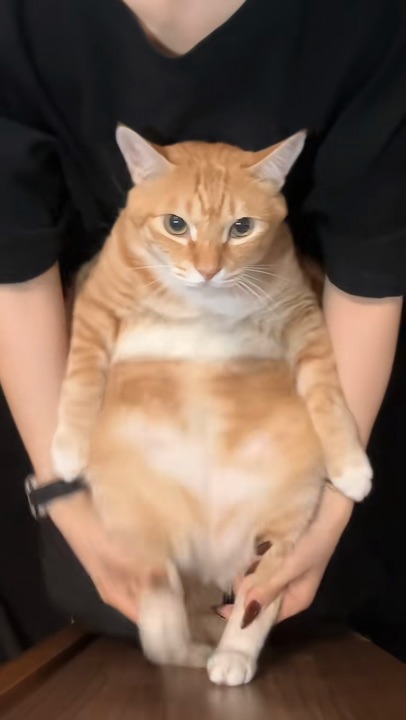
    Two hands guide a ginger cat’s paws out and back as it stands on a table in a knitted horned hat. 3.8 million views.

  6. October 2026

    Search interest

    Google searches for “cat dance AI video generator” and “pet dance AI” start climbing as owners look for a way to star their own pets.

Troubleshooting

Cat Dance AI video not looking right?

The final shot is a close-up of your cat, so a better photo fixes most issues.

  • The cat doesn’t look like mine

    Try again with a sharp, well-lit close-up where the face and markings are easy to see. A tiny cat in a wide shot gives the AI too little detail.

  • The fur color is wrong

    Every template begins with its own cat (white, ginger or tabby), and a dim photo lets that color bleed through. Re-upload a daylight shot that shows the coat clearly.

  • My photo has two pets

    Crop down to a single pet first. Each video has one star; the other cats in a scene come from the template.

  • The upload fails

    JPG, PNG and WEBP are supported. If an iPhone HEIC photo won’t open, screenshot it and upload the screenshot instead.

  • The video never finished

    Failed renders refund their credits automatically. Upload the photo again and press generate.

Sharing

Sharing your Cat Dance AI video

These clips land best when viewers know the cat. Use its name, keep the caption short and let the dance do the talking.

Caption ideas

Hashtags

  • #catdance
  • #cat
  • #pet
  • #catsoftiktok
  • #dancingcat
  • #aicat
  • #aivideo
  • #fyp
  • Introduce the star

    Add your cat’s name as on-screen text or tag its owners. Familiar faces get the most comments.

  • Add the AI label

    Switch on TikTok’s AI-generated content label. People will ask how a cat ended up waving from a taxi, and the label answers that up front.

Pricing

One-time credit packs, no subscription

Buy credits once and spend them on any template. They never expire, and a failed render refunds them automatically.

Starter

$9.90

15 credits per $1

150 credits

15 s of video

  • Every template, plus text and image to video
  • No watermark
  • Credits never expire
Most popular

Creator

$29.90

23.5 credits per $1 · 56% more

700 credits

1 min 10 s of video

  • Every template, plus text and image to video
  • No watermark
  • Credits never expire

Pro

$59.90

26.5 credits per $1 · 76% more

1,600 credits

2 min 40 s of video

  • Every template, plus text and image to video
  • No watermark
  • Credits never expire
Best value

Studio

$299

30 credits per $1 · 100% more

9,000 credits

15 min of video

  • Every template, plus text and image to video
  • No watermark
  • Credits never expire

Cat Dance AI FAQ

How do I make a Cat Dance AI video from a photo?

Upload a clear photo of your cat at the top of this page, confirm permission and press generate. Download the MP4 when it’s done and post it with the AI label on.

Do I need an app or a Cat Dance AI filter?

No. Everything runs in your browser, with no app to install and no filter to find.

Does my cat need to be standing or dancing in the photo?

Not at all. The template supplies the moves, the setting and any other cats. The photo only needs to show your cat’s face, coat and markings clearly, whatever the pose.

Can I use a dog or another pet?

Yes, it doubles as a pet dance AI. For a dog dance AI video, upload a clear photo of your dog and it takes the lead role in any of the four versions.

Can two of my cats appear together?

Each video uses one photo, so one pet is the star. The extra kittens in the squad version come from the template. For two cats, make a video of each and post them as a pair.

What happens to my cat’s photo?

It is used only for your video and deleted when you delete that video. Your clip stays private unless you share it, and uploads are never used to train AI models.

Why was my photo rejected?

Only JPG, PNG and WEBP files are accepted. iPhone HEIC photos sometimes won’t open in a browser, so upload a screenshot instead. Large files are resized automatically.

Copy AI Video is an independent tool, not affiliated with TikTok, the creators who started this trend or any taxi company. All videos are AI-generated; please label them as AI when you post.