AI Zombie Video Generator

Create the AI zombie love story from two photos. Your partner has turned into a zombie, but instead of pulling the trigger, you lower the gun and hold them close.

Zombie coupleFrom @sinifreak

2Your photos

1Pick a template

Your partner has turned; you lower the gun, hold them, then the two of you embrace in the sunshine

2Your photos

About the trend

What is the AI zombie video trend?

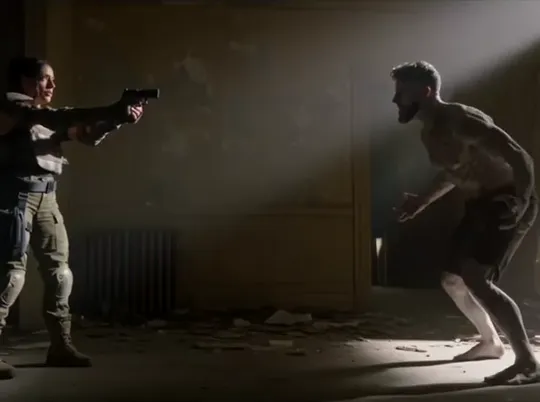
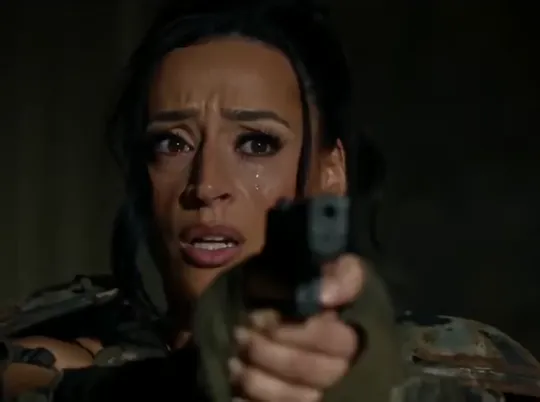
The AI zombie video is a short zombie love story that answers one question: would you still love me if I were a zombie? In a wrecked room, you aim a gun at your partner, now gray-skinned and snarling. Through tears, you lower it. They rush toward you, and you hold them. Then the darkness lifts, and the two of you embrace in a sunlit field of flowers.

There is a pet version as well, where you lower the gun and stroke your dog or cat instead. Couples share it as their answer to the question, and pet owners share it for the furry friend they would never give up on.

Shot by shot
  1. Taking aim1

    Taking aim

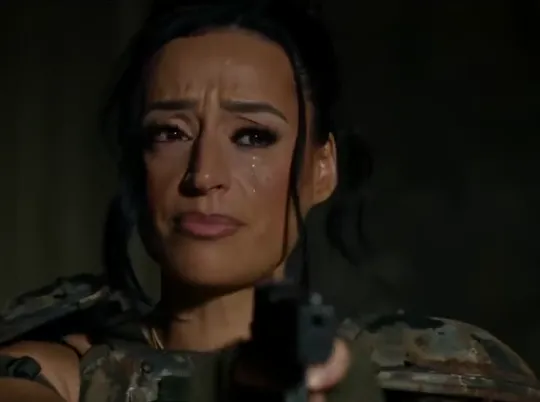
    In a dark, wrecked room, you point a gun at the doorway, tears streaming down your face.
  2. The turn2

    The turn

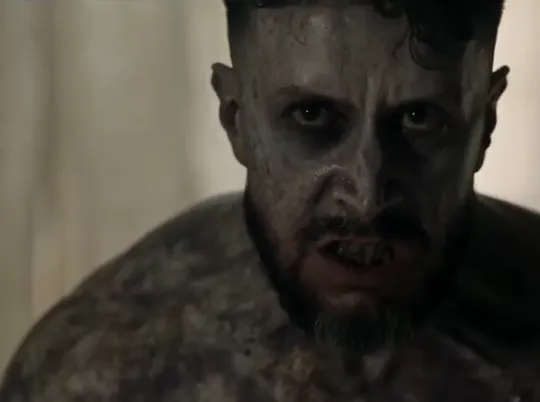
    Your partner steps into view, transformed: ashen skin, clouded eyes, teeth bared.
  3. Letting go3

    Letting go

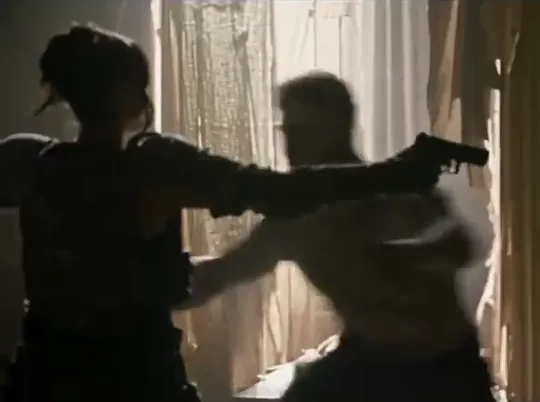
    You shut your eyes and slowly let the gun drop.
  4. The embrace4

    The embrace

    They lunge toward you, and you pull them into a hug.
  5. Sunlight5

    Sunlight

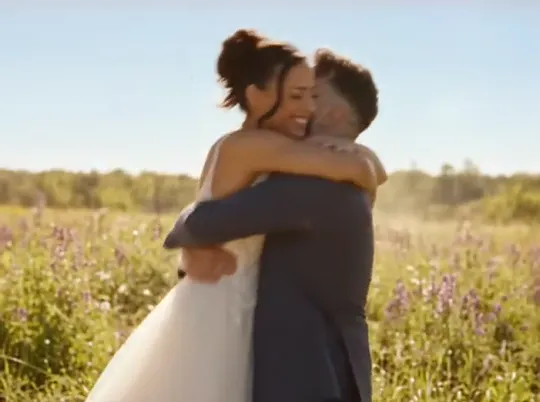
    Now in wedding clothes, you hold each other in a flower field, laughing.
Seen on TikTok

AI zombie videos on TikTok

The same scene, remade by TikTok users with their own photos.

Tutorial

How to make an AI zombie video

Two photos and one choice: couple or pet. The wrecked room, the zombie makeup and the sunny ending are built in.

  1. 01

    Step 1: Choose a version

    Zombie couple is selected by default. Switch to Zombie pet for a dog or cat.

  2. 02

    Step 2: Upload your photo

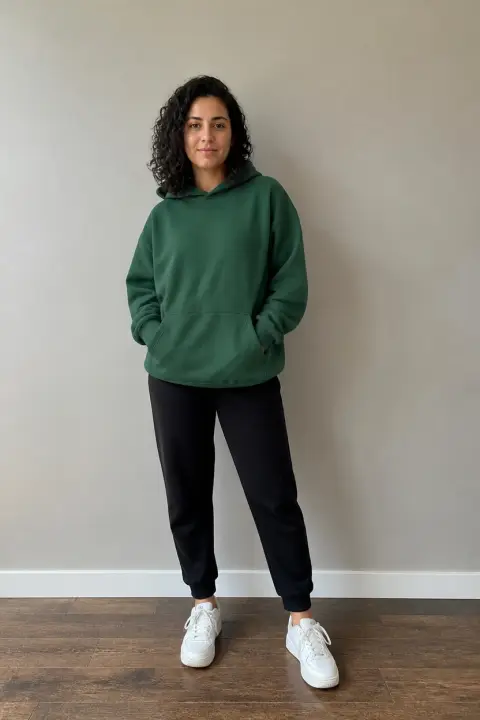
    The first slot is you, the one holding the gun. Use a solo, waist-up photo with a clear face.

  3. 03

    Step 3: Upload their photo

    The second slot is the one who turns: your partner alone, or your dog or cat for the pet version.

  4. 04

    Step 4: Confirm and generate

    Tick the box to confirm you may use the photos, then press the button. The video renders in the background and will be waiting in My videos. Your uploads are kept if you sign in or top up in between.

  5. 05

    Step 5: Download and post

    Save the MP4 and switch on TikTok’s AI-generated content label when you post.

Make my zombie video
Sample photo of an adult with a clear faceYou
Sample photo of an adult with a clear faceYour partner
Result: Zombie coupleResult
Your two photos on the left, the finished zombie love story on the right.

Photo tips

Best photos for an AI zombie video

Your photo becomes the tearful one holding the gun. Theirs becomes the one who turns: gray-skinned at first, then back to themselves in the sunny ending. Both faces appear in close-up, so a sharp, front-facing solo photo of each person matters most. For the pet version, the second photo should show your dog or cat alone with its face and body clear.

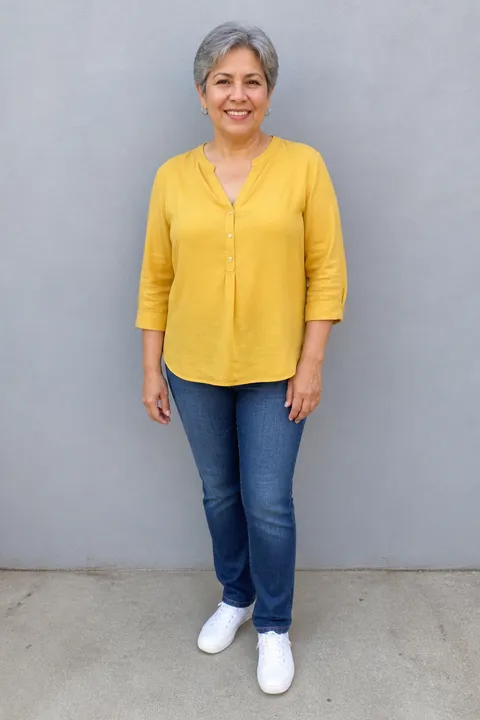
  • Sample photo: a woman in her sixties with short gray hair in a mustard blouse, jeans and sneakers, standing full length with her face clearly visible
    Sharp face, bright light
  • Face in shadowTryShoot near a window
    Face in shadow
  • Strong filterTryUpload the unedited photo
    Strong filter
  • Face too smallTryMove closer: waist-up or full body
    Face too small

Do

  • You alone, clear face, waist-up or wider
  • Your partner alone, same framing
  • Pet version: your dog or cat alone, fully in frame and in focus
  • Natural light, with no heavy filters, text or stickers

Avoid

  • One photo with both of you (crop into two)
  • Sunglasses, masks, shadowed or turned faces
  • Children, public figures or anyone who has not agreed
  • A distant, blurry or half-cropped pet

Trend history

Where did the AI zombie video trend come from?

Couples and pet owners turned this zombie love story into their own in October 2026. Dates are taken from the original TikTok posts.

  1. October 1, 2026

    Couples join in

    A husband shares the version he made with his wife: she aims at him in a ruined room after he has turned, and they end up embracing in a flower field. “So beautiful yet so sad,” he writes. It passes 800,000 plays.

  2. October 3, 2026

    The dog version

    The same scene with a dog: a tearful woman lowers her gun and strokes her dog after it has turned. It passes 1.5 million plays.

  3. Early October 2026

    The question goes on screen

    Posts start featuring the text “Would you still love me if I were a zombie?” and couples answer with their own photos.

  4. October 19, 2026

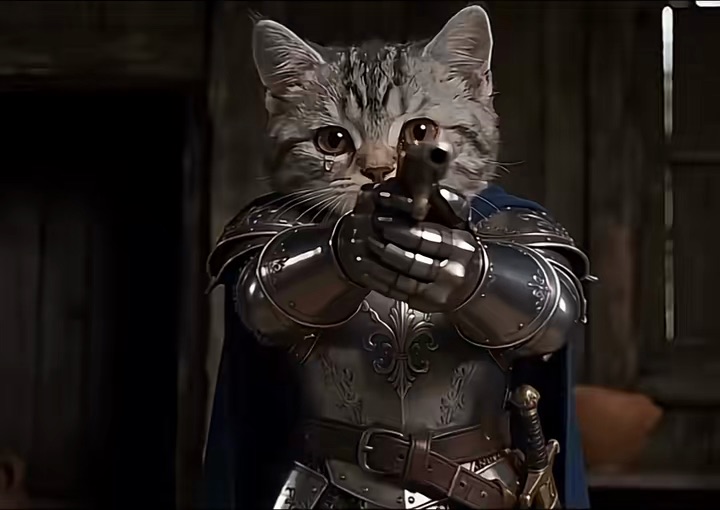
    Cats in armor

    A version with two cats in knights’ armor appears, captioned “If you’re a zombie then I’m a zombie too.” It passes 270,000 plays.

  5. Late October 2026

    Halloween approaches

    New couple and pet versions keep appearing as Halloween draws near.

Troubleshooting

AI zombie video not looking right?

Almost every issue comes back to the two photos.

  • The wrong person turned

    The second photo is always the one who turns. Swap the photos and generate again.

  • Their face looks different

    Their face appears in close-up twice, as a zombie and in the sunny ending. Use a sharp, front-facing solo photo; a side profile or shadowed face leaves the AI guessing.

  • My pet looks like a different animal

    Use a daylight photo of your dog or cat alone with its face and body clear. A distant or half-cropped pet leaves the breed and coat to guesswork.

  • Someone else appeared

    Each photo should contain one person. Crop group photos down to the person you want.

  • The upload fails

    JPG, PNG and WEBP are supported. If an iPhone HEIC photo won’t open, screenshot it and upload the screenshot.

  • The video never finished

    Failed renders refund their credits automatically. Upload the photos again and press generate.

Sharing

Sharing your AI zombie video

Most people put the question on screen and tag the one who turned. Some caption ideas:

Caption ideas

Hashtags

  • #zombie
  • #zombielove
  • #aizombietrend
  • #zombieapocalypse
  • #zombiedog
  • #emotional
  • #aivideo
  • #fyp
  • Tag the one who turned

    Let them answer the question in the comments. That is half the fun.

  • Use searchable words

    People search for “zombie love story AI,” “zombie AI video” or “zombie couple hug AI.” Including one in your caption helps the right viewers find it.

  • Add the AI label

    Switch on TikTok’s AI-generated content label. It looks like a movie scene, and nobody should mistake it for real footage.

Pricing

One-time credit packs, no subscription

Buy credits once and spend them on any template. They never expire, and a failed render refunds them automatically.

Starter

$9.90

15 credits per $1

150 credits

15 s of video

  • Every template, plus text and image to video
  • No watermark
  • Credits never expire
Most popular

Creator

$29.90

23.5 credits per $1 · 56% more

700 credits

1 min 10 s of video

  • Every template, plus text and image to video
  • No watermark
  • Credits never expire

Pro

$59.90

26.5 credits per $1 · 76% more

1,600 credits

2 min 40 s of video

  • Every template, plus text and image to video
  • No watermark
  • Credits never expire
Best value

Studio

$299

30 credits per $1 · 100% more

9,000 credits

15 min of video

  • Every template, plus text and image to video
  • No watermark
  • Credits never expire

AI Zombie Video FAQ

How do I make an AI zombie video?

Use the generator at the top of this page: choose the couple or pet version, upload two photos, confirm and press generate. Download it from My videos and post it with the AI label on.

Do I need an app?

No. It runs in your browser on any phone or computer. No app, no filter.

Can I make one with my dog or cat?

Yes. Choose Zombie pet and upload your photo plus one of your dog or cat. You lower the gun and stroke your pet after it has turned. Use a photo of the animal alone with its face and body clear.

Which photos work best?

One adult per photo, front-facing with a clear face, waist-up or wider, in daylight. Both faces get close-ups, so sharpness matters most. Skip sunglasses and heavy filters.

Can I be the one who turns into a zombie?

Yes. The first photo holds the gun and the second one turns, so put your photo in the second slot.

Who can be in it?

Any two adults who both agree: your partner, a friend or a sibling. Photos of children and public figures are not accepted.

Why was my photo rejected?

Photos of children or public figures are not accepted. Otherwise, check the format: only JPG, PNG and WEBP work, so upload a screenshot if an iPhone HEIC photo won’t open. If the video fails, your credits are refunded automatically.

What happens to my photos?

They are used only for your video and deleted when you delete it. Unused uploads are removed within 24 hours. Your video stays private unless you share it, and uploads are never used to train AI models.

Copy AI Video is an independent tool, not affiliated with the TikTok creators who started this trend or TikTok. All videos are AI-generated; please label them as AI when you post.